Technical SEO: The Foundation Behind a Successful Website
Have you ever visited a website that took too long to load, had broken pages, or looked difficult to use on a mobile phone? In many cases, these problems are related to technical SEO.
Technical SEO is the process of improving the technical foundation of a website so that search engines can easily discover, crawl, understand, and index its pages. It also focuses on improving the user experience by making websites faster, safer, and easier to navigate.
While content tells search engines what your website is about, technical SEO helps search engines access and understand that content properly.
A website with excellent articles but poor technical performance may struggle to achieve strong visibility because search engines and users both expect a smooth experience.
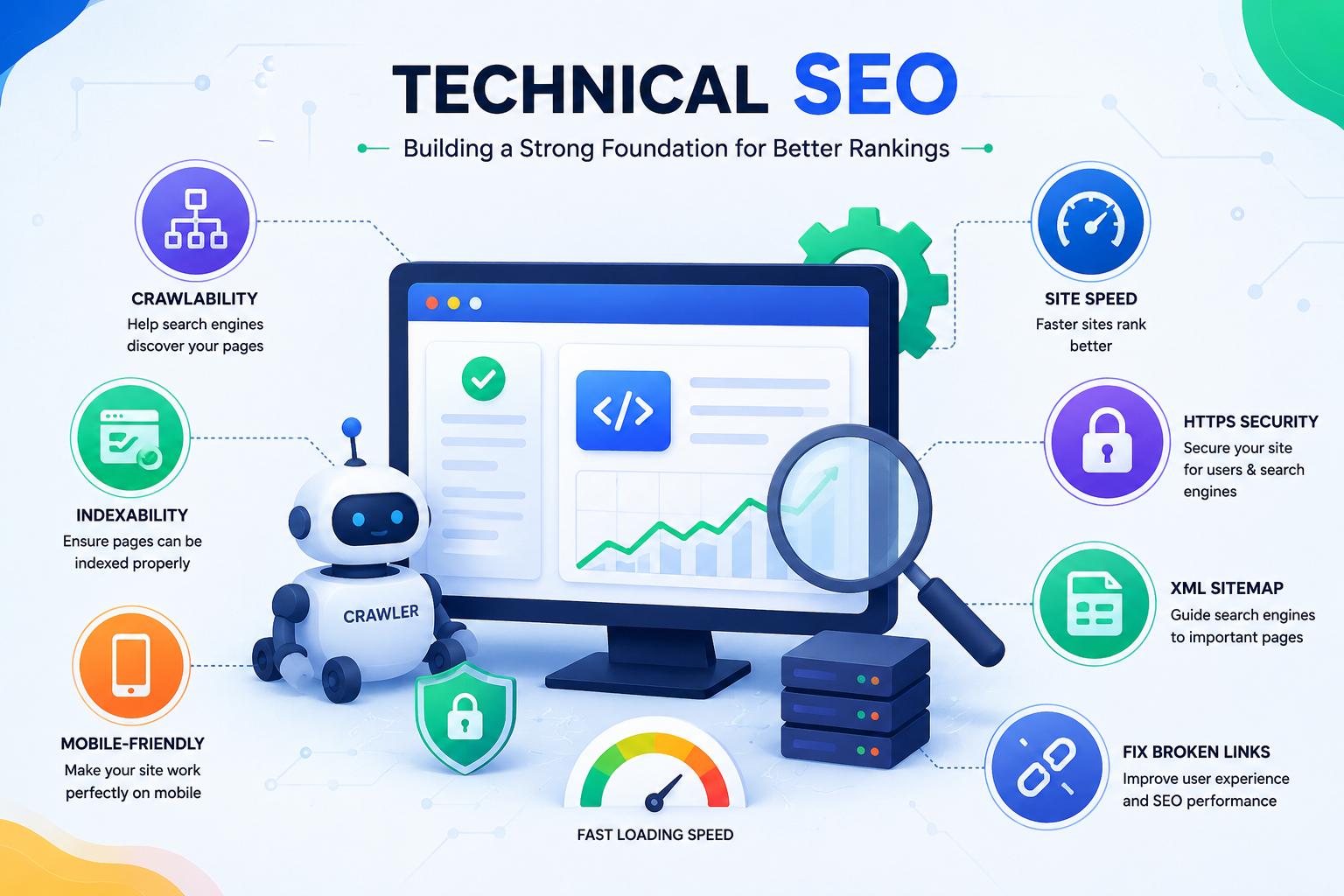
Why Is Technical SEO Important?
Search engines aim to show users websites that provide accurate information and a good browsing experience. Technical issues can prevent your content from reaching the right audience.
Technical SEO helps you:
- Improve website speed and performance.
- Make your website easier for search engines to crawl.
- Ensure important pages are indexed correctly.
- Improve mobile usability.
- Protect user information through security.
- Reduce website errors.
- Create a better experience for visitors.
A technically healthy website gives your content a stronger chance of performing well in search results.
How Does Technical SEO Work?
Technical SEO focuses on the behind-the-scenes elements of your website. These elements may not always be visible to visitors, but they play an important role in how search engines interact with your site.
Let’s explore the major areas of Technical SEO.
1. Website Speed Optimization
Website speed is an important part of user experience. Visitors expect pages to load quickly, and slow websites often lead to users leaving before exploring the content.
A faster website can improve:
- User satisfaction.
- Engagement.
- Conversion rates.
- Overall browsing experience.
Common ways to improve speed include:
- Compressing large images.
- Removing unnecessary scripts.
- Using efficient website hosting.
- Reducing unused code.
- Improving page structure.
For example, an online store with slow product pages may lose potential customers because visitors leave before completing a purchase.
2. Mobile-Friendly Website
Today, many people access websites through smartphones. A website that works well on desktop but performs poorly on mobile can create a frustrating experience.
Mobile optimization includes:
- Responsive design.
- Readable text size.
- Easy-to-click buttons.
- Simple navigation.
- Fast loading on mobile devices.
A mobile-friendly website ensures visitors can easily browse your content regardless of the device they use.
3. Website Security (HTTPS)
Website security builds trust between businesses and users.
HTTPS protects information exchanged between a visitor’s browser and your website. It is especially important for websites that handle:
- Login details.
- Contact forms.
- Payments.
- Personal information.
A secure website provides confidence to users and supports a safer browsing environment.
4. Crawling and Indexing
Before a page can appear in search results, search engines need to find and understand it.
Technical SEO helps search engines crawl your website efficiently by improving:
- Website structure.
- Internal links.
- XML sitemap.
- Robots.txt file.
- Page accessibility.
If important pages are blocked or difficult to discover, search engines may not include them in their index.
5. XML Sitemap
An XML sitemap is a file that helps search engines understand the structure of your website.
It lists important pages that you want search engines to discover.
For example, a blog website may include pages such as:
- Homepage.
- Blog articles.
- Category pages.
- Important resources.
A well-maintained sitemap helps search engines find new or updated content more efficiently.
6. Robots.txt File
The robots.txt file provides instructions to search engine crawlers about which areas of your website they can or cannot access.
It helps manage crawling by preventing search engines from wasting resources on unnecessary pages.
For example, a website may block private account pages or duplicate sections that do not need to appear in search results.
7. Fixing Broken Links and Errors
Broken links create a poor experience for visitors and can make it harder for search engines to navigate your website.
Common issues include:
- 404 error pages.
- Missing images.
- Incorrect redirects.
- Broken internal links.
Regular website checks help identify and fix these problems before they affect users.
8. Website Structure and Navigation
A clear website structure helps visitors find information quickly and helps search engines understand relationships between pages.
A good structure usually includes:
Homepage
↓
Main Categories
↓
Individual Pages or Articles
For example, a digital marketing website may organize content like:
Digital Marketing
→ SEO
→ PPC
→ Social Media Marketing
→ Email Marketing
This makes navigation easier and improves content organization.
9. Structured Data (Schema Markup)
Schema markup is additional information added to web pages to help search engines better understand the content.
It can provide details about:
- Products.
- Reviews.
- Events.
- Articles.
- Businesses.
- Frequently asked questions.
When implemented correctly, structured data may help search engines display richer search results.
Real-Life Example
Imagine two websites publish similar articles about digital marketing.
The first website has:
- Fast loading pages.
- Mobile-friendly design.
- Secure HTTPS.
- Proper navigation.
- No broken links.
The second website has:
- Slow pages.
- Confusing menus.
- Broken images.
- Mobile display problems.
Even if both websites have good content, the technically optimized website provides a better experience for users and search engines.
This shows why technical SEO is an important foundation for online success.
Common Technical SEO Mistakes
Many websites face ranking problems because of technical issues such as:
- Slow website speed.
- Not optimizing for mobile users.
- Duplicate content problems.
- Broken links.
- Missing sitemap.
- Poor website structure.
- Incorrect redirects.
- Security issues.
- Pages not being indexed properly.
Regular technical checks can help identify and fix these problems.
Technical SEO Best Practices
To maintain a healthy website:
- Keep your website fast and responsive.
- Regularly check for errors.
- Use HTTPS security.
- Optimize images before uploading.
- Create a clear website structure.
- Make content easy to crawl.
- Ensure mobile compatibility.
- Update outdated pages.
- Monitor website performance regularly.
Final Thoughts
Technical SEO is the foundation that supports every other SEO activity. Without a technically strong website, even high-quality content may not reach its full potential.
A successful website combines useful content, strong authority, and excellent technical performance. By improving speed, security, structure, and accessibility, businesses can create a better experience for users and increase their chances of long-term search visibility.