XML Sitemap: A Complete Guide for Better Website Crawling
When you publish a new website or add fresh content, one important question comes to mind:
How will search engines discover my pages?
Search engines use automated programs called crawlers to explore websites and collect information. However, depending on the size and structure of a website, some pages may be difficult to discover.
An XML sitemap helps solve this problem.
An XML sitemap is a file that provides search engines with a list of important pages on your website. It acts like a roadmap, helping search engines understand your website structure and find content more efficiently.
While an XML sitemap does not guarantee higher rankings, it supports technical SEO by improving the way search engines discover and process your website.
Understanding How an XML Sitemap Works
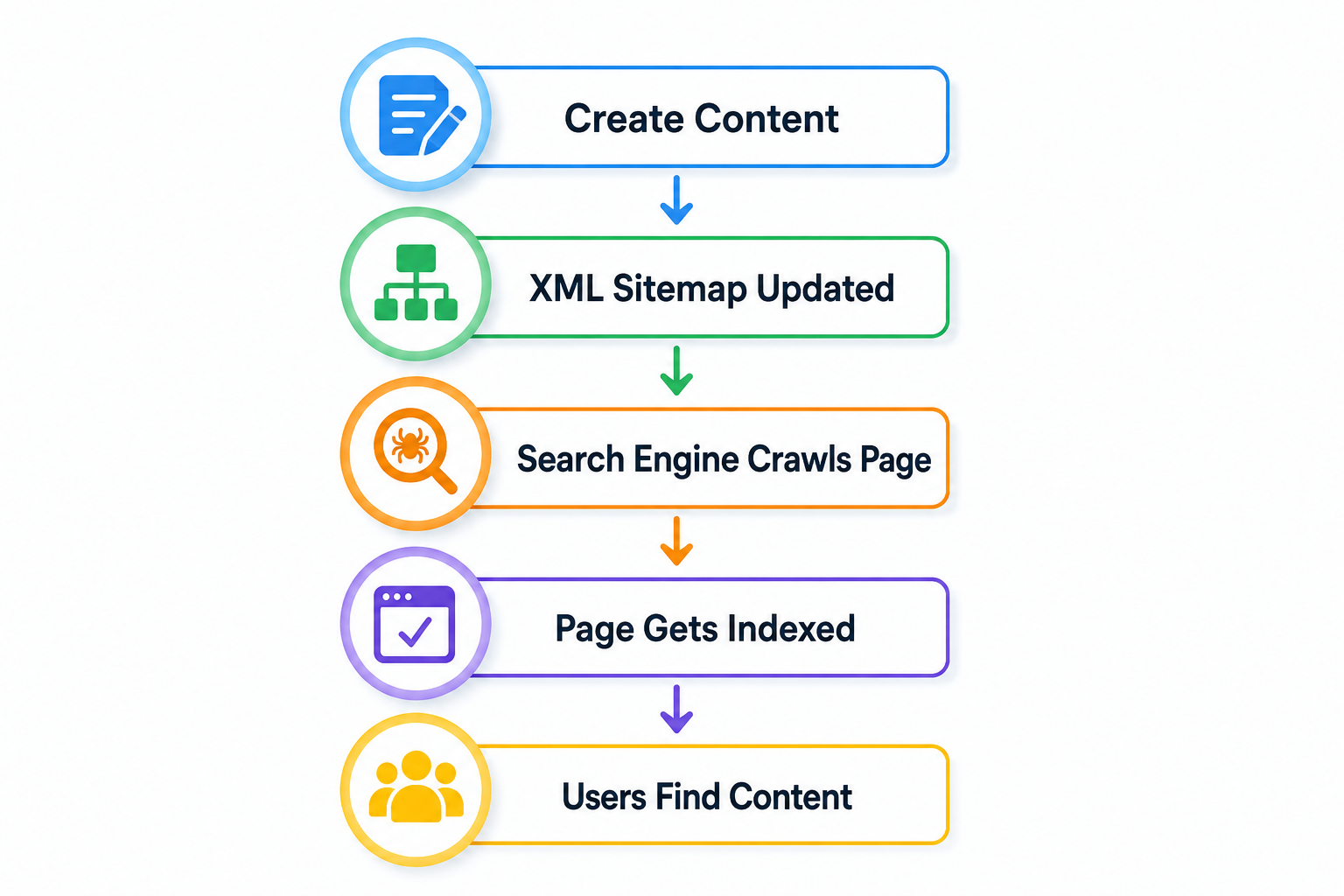
Before a webpage can appear in search results, search engines need to discover and analyze it.
The process usually involves:
Crawling
Search engine bots visit websites and discover pages by following links.
Indexing
The search engine analyzes discovered pages and stores useful information in its database.
Ranking
When someone searches, the search engine decides which pages best answer the query.
An XML sitemap supports the crawling stage by showing search engines which pages exist and which ones are important.
What Information Does an XML Sitemap Include?
A sitemap usually contains important details about website pages, such as:
- Page URLs.
- Last updated dates.
- Website structure information.
For example, a website sitemap may include:
example.com/
example.com/about-us
example.com/blog
example.com/services
example.com/contact
This gives search engines a clear list of pages they can explore.
Why Is an XML Sitemap Useful?
An XML sitemap is especially helpful in situations where search engines may need extra guidance. It gives crawlers a clearer path to follow, which is useful when a website is new, large, or difficult to navigate.
New Websites
New websites usually have fewer backlinks and external references. Because search engines may not discover them quickly through normal links alone, a sitemap can help important pages get noticed sooner.
Large Websites
Websites with hundreds or thousands of pages may use sitemaps to organize important URLs and improve crawling efficiency. This is especially useful when a site has many categories, product pages, or blog posts that need to be discovered and indexed.
Frequently Updated Websites
Blogs, news websites, and online stores regularly publish new content. A sitemap helps search engines notice new or updated pages more efficiently, which can be useful when fresh content needs to appear in search results quickly.
Websites With Complex Navigation
Some pages may not be easily reachable through menus or internal links. A sitemap provides another way for search engines to locate those pages, even if they are buried deeper in the website structure.
How to Create an XML Sitemap
Creating an XML sitemap can be done in several ways depending on how your website is built. The goal is to create a file that lists the important pages you want search engines to crawl.
Using CMS Platforms
Many website platforms can automatically generate sitemaps.
For example, websites built with platforms like WordPress can use SEO tools or plugins that create and update sitemaps automatically. This is often the easiest option because the sitemap stays updated as new pages are added or removed.
Using SEO Tools
Many SEO platforms include sitemap generation features. These tools scan your website and create a sitemap file containing important URLs. This can be helpful if you want more control over which pages are included.
Using Sitemap Generators
Small websites can use sitemap generator tools to create a sitemap by entering their website address. These tools are useful for simple websites that do not need a complex setup.
Creating a Sitemap Manually
Developers can also create an XML sitemap file manually by adding website URLs in the correct XML format. This method gives full control over the sitemap structure, but it requires more technical knowledge and regular maintenance.
After creating your sitemap, always check:
✓ URLs are correct
✓ Important pages are included
✓ Broken pages are removed
✓ Duplicate pages are avoided
✓ The sitemap is updated regularly
Submitting Your XML Sitemap
After creating your sitemap, you can submit it through search engine webmaster tools.
For Google, website owners commonly use Google Search Console to submit their sitemap.
The process generally includes:
- Verify website ownership.
- Open the sitemap section.
- Enter your sitemap location.
- Submit the sitemap.
- Monitor indexing reports.
Submitting a sitemap helps search engines understand your website structure and monitor which pages are discovered or indexed.
Usually, a sitemap can be found at:
example.com/sitemap.xml
XML Sitemap and SEO: What You Should Know
An XML sitemap is a technical SEO element, but it is only one part of a complete SEO strategy.
A sitemap does not directly increase rankings. Search engines still evaluate many other factors, including:
- Content quality.
- Website experience.
- Page speed.
- Mobile usability.
- Website authority.
However, a sitemap can help search engines discover important content more efficiently, especially on larger or newer websites.
Common XML Sitemap Mistakes
Adding Every Page
A sitemap should focus on useful and important pages. Adding low-value or unnecessary URLs can reduce clarity and make it harder for search engines to understand which pages matter most. For example, private pages, duplicate pages, or thin content pages usually do not need to be included unless they serve a clear purpose.
Including Broken URLs
Only working pages should be included. Broken links can create crawling problems because search engines may waste time trying to access pages that no longer exist or return errors. This can also make your sitemap look outdated and less reliable.
Forgetting Updates
If your website changes regularly, your sitemap should reflect those updates. When you add new pages, remove old ones, or change important content, the sitemap should be updated so search engines always have the latest version of your website structure.
Blocking Sitemap Pages
Pages blocked through robots.txt or unavailable to search engines should not be included. If a page is intentionally hidden from crawling, listing it in the sitemap sends mixed signals and can confuse search engines about which pages should be indexed.
My XML Sitemap Checklist Before Publishing a Website
Before launching a website, check:
✓ XML sitemap exists
✓ Important pages are included
✓ Broken URLs are removed
✓ Website structure is clear
✓ Sitemap updates automatically
✓ Search engines are notified
✓ Pages are accessible for crawling
This simple checklist helps prevent common technical SEO issues.
Internal Linking With XML Sitemap
XML sitemap is part of Technical SEO, which helps search engines understand and access your website.
To build a stronger SEO resource, connect this article with related topics:
- Learn more about Technical SEO and website optimization.
- Understand On-Page SEO techniques for improving page content.
- Explore Off-Page SEO strategies for building website authority.
- Read about Local SEO to improve location-based visibility.
Internal linking helps visitors discover more useful information and helps search engines understand the relationship between your pages.
Frequently Asked Questions
Does every website need an XML sitemap?
Most websites can benefit from having an XML sitemap. It is especially useful for new websites, large websites, and websites that publish content frequently.
Does an XML sitemap improve rankings?
An XML sitemap does not directly improve rankings. However, it can help search engines discover important pages more efficiently, which supports better indexing.
Where is an XML sitemap located?
Most websites place their sitemap at:
example.com/sitemap.xmlThe exact location may vary depending on the website platform.
How often should an XML sitemap be updated?
A sitemap should be updated whenever important pages are added, removed, or changed. Many modern websites update sitemaps automatically.
Can I have multiple XML sitemaps?
Yes. Large websites often use multiple sitemaps to organize different types of content, such as blog posts, products, images, or videos.
An XML sitemap is a simple but valuable part of technical SEO. It helps search engines understand your website structure and discover important pages more efficiently.
While a sitemap alone cannot guarantee better rankings, it creates a stronger foundation when combined with high-quality content, good website performance, and proper SEO practices.
A well-maintained sitemap ensures that your valuable content has a better chance of being found, crawled, and included in search results.